
Document to tour draft
AI itinerary import
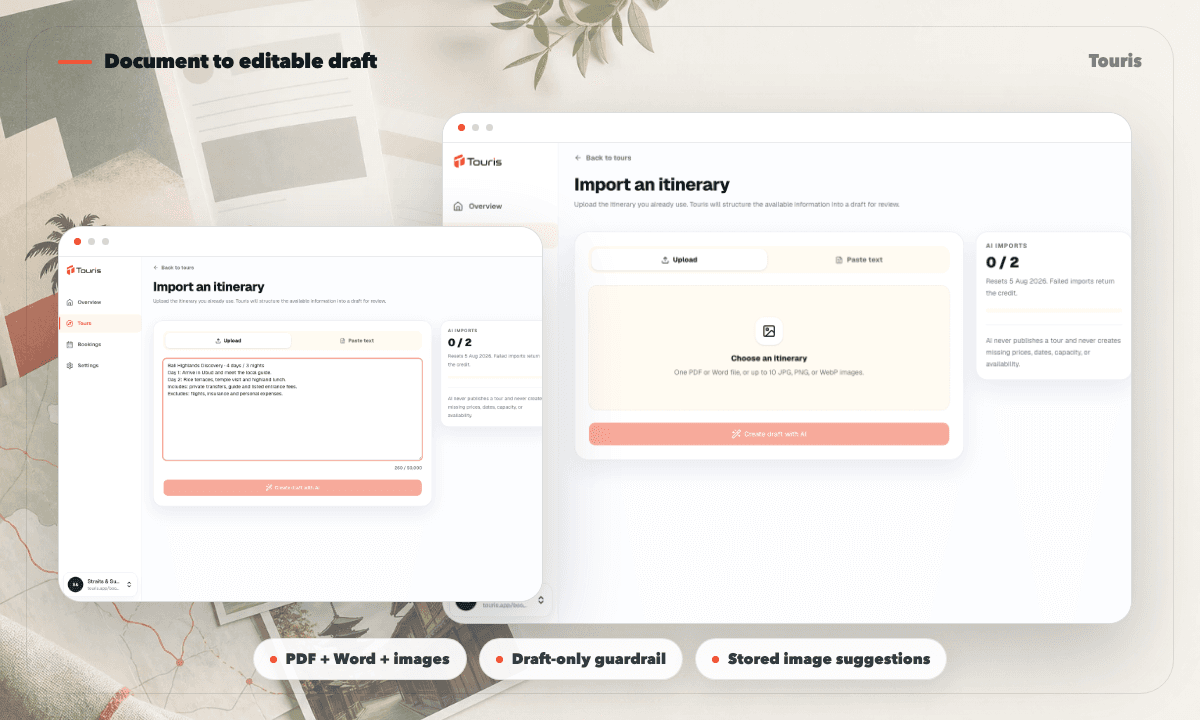
Turn an existing PDF, Word document, JPG, PNG, WebP, or pasted itinerary into an editable tour draft. Review every field before adding bookable dates, prices, and inventory.
Existing itineraries should not need to be retyped field by field
Operators often have useful tour content already, but it arrives as supplier PDFs, Word files, scans, images, or long blocks of text.
- Overview, destination, duration, itinerary, inclusions, exclusions, and terms must be copied into separate editor sections.
- Source dates and prices may be useful reference material but unsafe to publish as live inventory without review.
- Image sourcing and attribution context become another manual setup task.
- A failed or incomplete import should not silently consume the operator's monthly allowance.
Import first, publish only after review
AI import accelerates setup while the ordinary Touris editor remains the approval and publication workflow.
- 1Upload a supported document or image, or paste the itinerary text directly.
- 2Touris extracts the tour overview, destination, duration, itinerary, inclusions, exclusions, terms, and source-stated dates or prices.
- 3The result is created as a draft and never publishes automatically.
- 4Review the content, choose stored image suggestions, and edit any field in the normal tour editor.
- 5Add valid departures, dates, timeslots, and pricing before completing the normal publication requirements.
Useful automation with clear guardrails
The importer reduces setup time without treating a supplier document as trusted live inventory.
Document and image input
Accept PDF, Word, JPG, PNG, WebP, and pasted text in one import flow.
Structured tour extraction
Map source content into overview, destination, itinerary, duration, inclusions, exclusions, terms, and reference dates or prices.
Draft-only safety
Keep imported tours unpublished until staff review and satisfy the ordinary inventory, pricing, and publication requirements.
Stored media suggestions
Suggest up to three relevant Pexels images, download selected files into Touris, resize them, convert to WebP, and retain source attribution metadata.
Faster setup without a black-box publisher
The best use of AI here is reducing transcription while keeping commercial decisions with the operator.
Manual re-entry
Accurate when carefully reviewed, but slow and repetitive across every section of the tour editor.
Automatic publication
Fast, but risky when source dates, prices, or wording are incomplete, outdated, or not meant to be inventory.
Touris import
Creates an editable draft, preserves source context, and waits for staff to add reviewed bookable inventory.
FAQ
Which files can I import?
Touris accepts PDF, Word, JPG, PNG, and WebP files, plus itinerary text pasted directly into the form.
Will imported dates and prices become bookable automatically?
No. Source-stated dates and prices remain reference information. Staff must review and add valid departures, availability, timeslots, and pricing in the ordinary editor.
How many AI imports are included?
The Free plan includes 2 imports per monthly usage period and Business includes 30. A failed import returns its reserved credit.
Does Touris hotlink suggested Pexels images?
No. Selected images are downloaded into Touris, resized to a maximum of 2000 by 2000 pixels, converted to WebP, and stored with source attribution metadata.
Can an imported draft publish itself?
No. Imported tours remain drafts until staff review the content and complete the normal publication requirements.
Related Touris pages
Continue through the Touris booking workflow pages that support this topic.
Manage every booking from one clear workspace
Create tours, accept online or staff-entered bookings, manage travellers, reconcile payments, issue invoices, and send customer updates with Touris.